22.10.2026 - Reading time ~12 Minutes
Making a dumbest tablet a navigation device with NMEA
This is a second part of the manual how to use Mikrotik LAMP R16 on the boat.
Let’s assume you have a boat and want a big screen with charts at the helm or at the chart table. A new decent marine plotter costs like a hell of a fancy rigid-bottom dinghy. A new tablet with GPS isn’t cheap either, and you’d be scared to bring it into the cockpit anyway. Meanwhile, the second-hand market is full of tablets that people replaced years ago: perfectly fine screens, decent batteries, Android that still runs a chart app. Some of them cost less than a dinner in the marina.
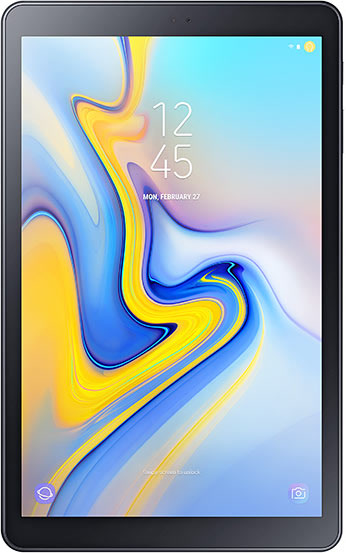
There’s a catch, of course. Most of them are Wi-Fi only models, and Wi-Fi only usually means GPS-less. Take the one in the picture, a Samsung Galaxy Tab A 10.5 from 2018: GPS is in the cellular version only, and the one you find for pennies is the Wi-Fi version. Install a chart app on it and it shows you a beautiful chart of the whole Mediterranean with no idea where on it you are. A very expensive paper chart, basically. With a battery.
Disclaimer: the tablet is not dumb, it’s just lost. It can’t look at the sky, so somebody has to tell it where the boat is. Once per second, preferably.
The good news: the boats have been solving this problem since long before tablets. Marine electronics talk the NMEA protocol. Older devices speak NMEA 0183, newer ones NMEA 2000, or both. 0183 is the one we need here: a plain-text protocol from the 80s where a GPS says things like $GPRMC,...,4017.568202,N,00828.718960,E,... and everybody listening knows where the boat is. And almost every chart app worth installing (OpenCPN, qtVlm, SEAiq and friends) can listen to NMEA over the network: “connect to this address and port, read the position from there”. That’s the most basic thing that turns a dumb tablet into a navigation device: give it the position over Wi-Fi. Everything else, AIS, wind, depth, autopilot, comes later and plugs into the same idea.
So who tells the position? In the previous part the boat got a MikroTik LAMP 5G R16 router, mounted outside, under the open sky. Its Quectel modem has a GNSS receiver inside. It already knows where the boat is. It just doesn’t tell anybody. Let’s fix that.
What we’re building
satellites ~~~ LAMP's modem (GNSS) ──REST API── busybox container ──TCP 10110── Wi-Fi ~~~ tablet
- RouterOS reads the modem’s GNSS. RouterOS can show the position, but it can’t serve NMEA to the network.
- A tiny busybox container (about 1 MB) runs on the router itself. Once per second it asks the modem for fresh NMEA sentences through the router’s REST API.
- The container serves them on TCP port 10110, the standard NMEA-over-TCP port. Any number of tablets, phones and laptops on the boat network can connect at the same time.
No extra hardware, no extra box to power, no extra cable through the deck. The router you already have becomes the boat’s GPS.
Prerequisites
- LAMP set up as in the previous part, with the internet working (the router downloads a package and the container image).
- A computer on the boat network, with the Terminal open as described there.
- Physical access to LAMP’s power once. MikroTik makes you prove you’re standing next to the router before it allows containers.
- A tablet with a chart app that accepts NMEA over TCP.
Checking the GPS
First, make sure the router has GPS at all:
/system package print
The list must contain gps. If it doesn’t, this router has no GPS support, and you can stop reading here with a clear conscience.
Then find the router’s address on the boat network:
/ip address print
The address on the line with bridge, without /24, is what I call LAMP_IP below. With the default from the previous part, it’s 192.168.188.1.
Installing the container package
Containers on RouterOS are an extra package that must match the router’s version exactly. This one-liner works out the version and architecture by itself and downloads the right one:
:local v [/system resource get version]; :local a [/system resource get architecture-name]; :set v [:pick $v 0 [:find $v " "]]; /tool fetch url=("https://download.mikrotik.com/routeros/" . $v . "/container-" . $v . "-" . $a . ".npk")
You should see status: finished. Reboot to install it (answer y):
/system reboot
Now the fun part. Containers are considered dangerous, so RouterOS wants physical confirmation:
/system device-mode update container=yes
The router answers with something like turn off power or reboot by pressing reset or mode button in 4m59s. Within 5 minutes, unplug LAMP’s power, wait 5 seconds and plug it back. On a mast this is the moment you appreciate PoE and a power plug somewhere inside the boat.
Warning: “pressing reset” here means a short press. Hold RESET for more than 2 seconds and you erase the whole configuration. Unplugging the power is the safer choice.
Check after it’s back:
/system package print; /system device-mode print
container must be in the package list and container: yes in device-mode.
The setup script
Same idea as in the previous part: one flat, ugly, rerunnable script that cleans up its own leftovers first and then sets everything up. It:
- switches the modem’s GNSS on and makes it produce plain NMEA;
- creates a virtual interface
veth-nmeawith the container at172.17.0.2; - creates a router user
nmeathat can log in only from the container’s address; - creates the container from the
busybox:muslimage, starting on boot; - forwards port 10110 from the boat network to the container.
Create nmea-setup.rsc and edit only the SETTINGS block:
| Setting | What it is | Change it? |
|---|---|---|
NMEAPASS |
Internal password between the router and the container. | Yes. Letters and digits only. |
NMEAPORT |
Port the tablet connects to. | Only if your app insists on another port. |
NMEALTE |
Modem name. | Only if /interface lte print shows something other than lte1. |
# ================= SETTINGS: edit these 3 lines =================
:global NMEAPASS "ChangeMe123"
:global NMEAPORT 10110
:global NMEALTE "lte1"
# ================= do not edit below this line ==================
:log info "nmea-setup: start"
:do { /system gps set enabled=no } on-error={}
:global NMEALTE; :do { /interface lte at-chat $NMEALTE input="AT+QGPSEND" } on-error={}
:global NMEALTE; /interface lte at-chat $NMEALTE input="AT+QGPSCFG=\"dpoenable\",0"
:global NMEALTE; /interface lte at-chat $NMEALTE input="AT+QGPSCFG=\"nmeasrc\",1"
:global NMEALTE; /system gps set enabled=yes port=$NMEALTE coordinate-format=dd
:do { /container stop [find interface=veth-nmea] } on-error={}
:delay 5s
:do { /container remove [find interface=veth-nmea] } on-error={}
:do { /file remove [find name="flash/nmea-root"] } on-error={}
:do { /container mounts remove [find list=nmea] } on-error={}
:do { /ip firewall nat remove [find comment=nmea] } on-error={}
:do { /interface list member remove [find interface=veth-nmea] } on-error={}
:do { /ip address remove [find interface=veth-nmea] } on-error={}
:do { /interface veth remove [find name=veth-nmea] } on-error={}
:do { /user remove [find name=nmea] } on-error={}
:do { /user group remove [find name=nmea] } on-error={}
:do { /file add name=flash/nmea type=directory } on-error={}
/interface veth add name=veth-nmea address=172.17.0.2/24 gateway=172.17.0.1
/ip address add address=172.17.0.1/24 interface=veth-nmea
/interface list member add list=LAN interface=veth-nmea
/ip service set www disabled=no
:do { :local a [/ip service get www address]; :if ([:len $a] > 0) do={ \
/ip service set www address=($a, "172.17.0.0/24") } } \
on-error={ :log warning "nmea-setup: check www allowed addresses" }
/user group add name=nmea policy=read,write,test,api,rest-api
:global NMEAPASS; /user add name=nmea group=nmea password=$NMEAPASS \
address=172.17.0.2/32
/container config set registry-url=https://registry-1.docker.io tmpdir=flash/tmp
/container mounts add list=nmea src=https://y-b.one/flash/nmea dst=/nmea
:global NMEAPASS; :global NMEALTE; /container add remote-image=busybox:musl \
interface=veth-nmea root-dir=flash/nmea-root mountlists=nmea \
cmd=("/bin/sh /nmea/run.sh serve " . $NMEAPASS . " " . $NMEALTE) \
start-on-boot=yes logging=yes
:global NMEAPORT; /ip firewall nat add chain=dstnat action=dst-nat protocol=tcp \
dst-port=$NMEAPORT dst-address-type=local in-interface-list=LAN \
to-addresses=172.17.0.2 to-ports=10110 comment=nmea
/ip firewall nat move [find comment=nmea] destination=0
:log info "nmea-setup: done"
Upload and run it:
scp nmea-setup.rsc admin@LAMP_IP:
/import file-name=nmea-setup.rsc verbose=yes
Lines with +CME ERROR are normal: the script stops the GNSS before configuring it, and the modem complains if it was already stopped. Modems.
The container’s brain
The whole “NMEA server” is one shell script. tcpsvd from busybox listens on port 10110 and starts a copy of the script for every connected tablet. Each copy asks the modem AT+QGPSGNMEA="RMC" and AT+QGPSGNMEA="GGA" through the router’s REST API once per second, cuts the NMEA sentences out of the JSON answer and sends them to the tablet with proper \r\n line endings.
Note: the script cleans Windows line endings off itself before it runs. If you edit it in Notepad, a shell script with
\rat every line end fails with error messages that make no sense at all. Ask me how I know.
Create run.sh. No changes needed, the two settings at the top are optional:
#!/bin/sh
# Serves the modem's GPS position as NMEA over TCP port 10110.
# The router starts it as: run.sh serve <password> <lte-interface>

# ---- Optional settings ----
SENTENCES="RMC GGA" # sentence types to send; also possible: GSA GSV VTG
INTERVAL=1         # seconds between updates
# ---------------------------

# Remove Windows line endings, then run the cleaned copy. #
mkdir -p /tmp #
[ -z "$NMEA_CLEAN" ] && tr -d '\r' < "$0" > /tmp/nmea.sh && export NMEA_CLEAN=1 && exec /bin/sh /tmp/nmea.sh "$@" #

MODE="$1"; PASS="$2"; LTE="${3:-lte1}"
if [ "$MODE" != "client" ]; then
exec tcpsvd 0.0.0.0 10110 /bin/sh "$0" client "$PASS" "$LTE"
fi
API="http://nmea:$PASS@172.17.0.1/rest/interface/lte/at-chat"
while :; do
for s in $SENTENCES; do
wget -q -O - --header 'Content-Type: application/json' \
--post-data "{\".id\":\"$LTE\",\"input\":\"AT+QGPSGNMEA=\\\"$s\\\"\"}" "$API" \
| grep -oE '\$G[A-Z]{4},[^\\"]*' \
| while read -r l; do printf '%s\r\n' "$l"; done
done
sleep "$INTERVAL"
done
RMC carries position, speed, course and date, GGA carries the fix quality, satellites and altitude. That’s all a chart app needs. Add GSV if you want to look at the satellites in the sky view.
The setup created a folder for it, so upload it there:
scp run.sh admin@LAMP_IP:flash/nmea/run.sh
If scp complains about the protocol, add -O after scp.
Starting it
The router downloads the image in the background. Give it a minute or two and check:
/container print
No flag with status extracting means it’s still downloading. S means stopped, so start it:
/container start [find interface=veth-nmea]; :delay 5s; /container print
R means running. From now on it starts by itself after every reboot.
Testing from the computer
macOS or Linux:
nc -v LAMP_IP 10110
Windows PowerShell:
$c = New-Object Net.Sockets.TcpClient("LAMP_IP", 10110); $r = New-Object IO.StreamReader($c.GetStream()); while ($true) { $r.ReadLine() }
You should see a new pair of lines every second:
$GPRMC,195118.00,A,4017.568202,N,00828.718960,E,0.0,,191026,3.5,E,A,V*65
$GPGGA,195118.00,4017.568202,N,00828.718960,E,1,03,9.1,32.6,M,47.8,M,,*54
The A right after the time in RMC means the position is valid. V means the stream works but the modem has no fix yet. Then it’s not the script, it’s the sky.
Teaching the tablet
In the chart app, look for something called NMEA source, External GPS, Network GPS or Connections, and add:
| Setting | Value |
|---|---|
| Type | TCP, client |
| Host | LAMP_IP (probably 192.168.188.1 if you didn’t change it) |
| Port | 10110 |
The tablet must be on the Wi-Fi behind LAMP. And that’s it: the dumb tablet sees a boat on its chart, exactly where the boat is. Hooraaah!
Tip: if the tablet connects but the app still shows no position, check the app’s settings for “use external GPS only” or similar. Some apps keep waiting for the internal GPS, which, as we know, doesn’t exist.
The truth about the modem’s GPS
The modem’s GNSS is good enough for navigation, but it’s no professional marine GPS, and it’s honest to say what I measured:
| Situation | What happens |
|---|---|
| Cold start (after a modem power-cycle or a long time off) | 6–8 minutes to the first fix, 12 under some conditions. Starts with 3–4 satellites. |
| Restart shortly after a fix | Fix in under a minute: the modem still remembers the satellites. |
| Under the open sky, a few minutes after the fix | 8+ satellites, HDOP below 1, a few metres accuracy. |
| Indoors, under a fiberglass deck | 3–4 satellites, HDOP 4–9, tens of metres. Sometimes no fix at all. |
The GGA line tells you how it’s doing:
$GPGGA,195118.00,4017.568202,N,00828.718960,E,1,03,9.1,...
                                                ^^ ^^^
                                     satellites  HDOP
HDOP under 1 is good, 1–2 is fair, over 5 is poor.
I tried to make it faster, of course. Some notes to save you the evening:
- XTRA (Qualcomm’s downloadable satellite data that speeds up the cold start) is on by default and never gets any data. The file must be uploaded into the modem as raw binary, and RouterOS’s
at-chatcan’t do that. Dead end. - SUPL (assisted GPS over the mobile network) can be configured,
supl.google.com:7276works with it, but I couldn’t prove any difference in the time to fix. - Multiband sounds great and gives nothing: the built-in antenna is L1 only, the modem sees no other band.
- The antenna position beats any setting. LAMP outdoors with the open sky above it is the whole trick.
Important: every modem power-cycle is a GPS cold start. That’s why nothing on this boat power-cycles the modem automatically, even when the internet hangs. Losing the internet at sea is normal. Losing the position for 10 minutes every time the router thinks it lost the internet is not.
Troubleshooting
Start with:
/container print; /log print where topics~"container"
| Symptom | Fix |
|---|---|
bad command name container |
The package isn’t installed. Repeat the download and reboot. |
container: no in device-mode |
The power wasn’t unplugged within 5 minutes. Repeat the device-mode step. |
Container log: 401 Unauthorized |
Password problem. Letters and digits only, run the setup again. |
Container log: 400 Bad Request |
Wrong modem name in NMEALTE. |
Container log: can't open '/nmea/run.sh' |
run.sh is in the wrong folder. Upload it to flash/nmea/. |
| Connection refused | Container not running, or wrong LAMP_IP/port. |
Lines show V |
No fix yet. More sky, more patience. |
| Computer connects, tablet doesn’t | The tablet is on some other Wi-Fi. |
| Nothing reaches LAMP from behind a Wi-Fi router | The Wi-Fi router uses the same network range as LAMP. Change one of them. |
Some useful notes
- Port 10110 has no password. Anyone on the boat Wi-Fi can read the position. On a boat that’s usually fine: if they’re on your Wi-Fi, they probably also know where the boat is.
- After a RouterOS update, download the container package again with the one-liner above, or the container stops working. RouterOS doesn’t do that for you.
- Remove everything in one go if you ever need to:
/container stop [find interface=veth-nmea]
:delay 5s
/container remove [find interface=veth-nmea]
/container mounts remove [find list=nmea]
/ip firewall nat remove [find comment=nmea]
/interface list member remove [find interface=veth-nmea]
/ip address remove [find interface=veth-nmea]
/interface veth remove [find name=veth-nmea]
/user remove [find name=nmea]
/user group remove [find name=nmea]
/file remove [find name~"flash/nmea"]
Next time: a Signal K dashboard showing the router’s LTE signal, GPS, SMS and a couple of red and green buttons to kick the internet when it hangs, without killing the GPS.